Features

Swift WMS features include barcode receiving, license plate inventory, BOM-driven production, lot traceability with recall impact, cycle counting, shipping, WMS invoicing, and a customer portal on Pro or as an add-on.

What Swift WMS actually ships for warehouse and production operators. Jump from the homepage into any section below.
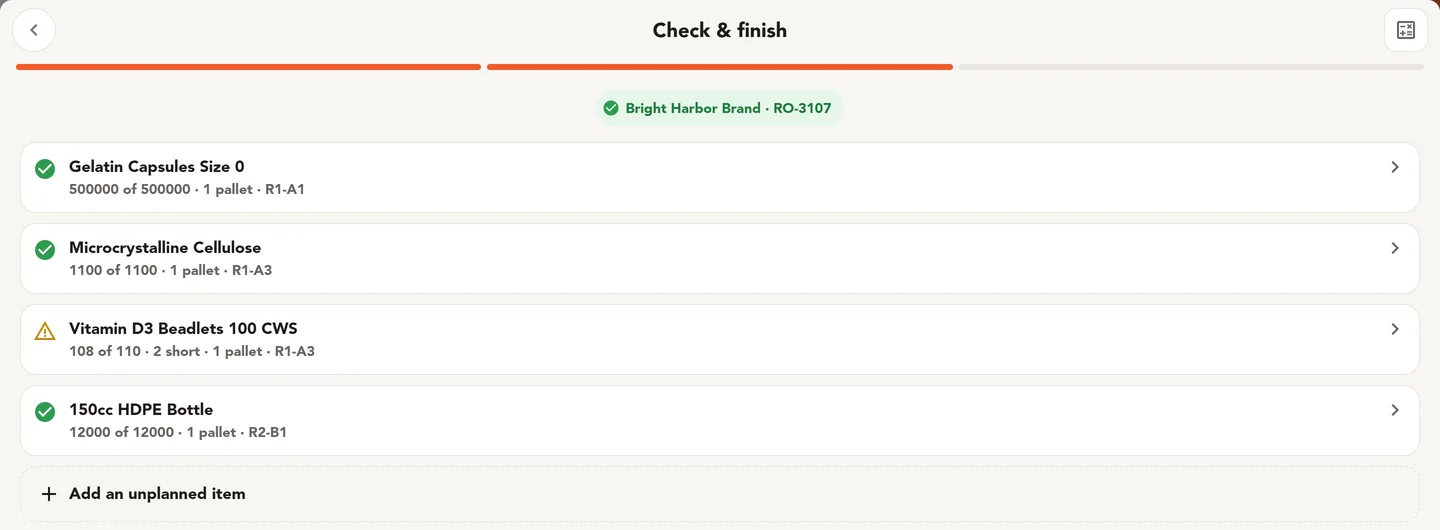
A bulk receipt against a receiving order shows each line, expected against received, and the location for each pallet.

Warehouse operations

Receive against a receiving order with a barcode scan. Stock sits on license plates in named locations, so you know what is on a plate and where that plate is.

Lot history rides with the plate from receipt forward, so you can say where a lot is and where it went without digging through files.
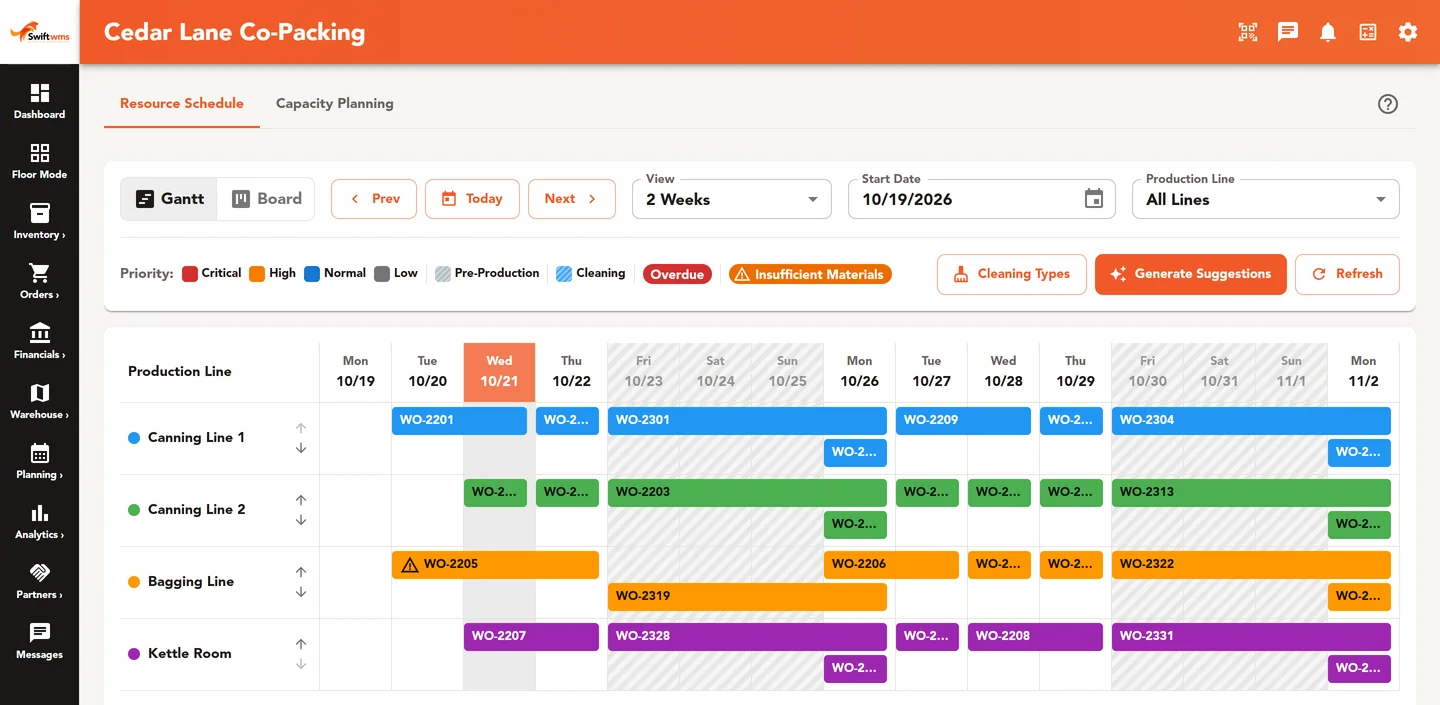
A two-week Gantt schedule shows work orders on four production lines.

Production

On Core and Pro, plan work from the bill of materials. Stage materials, run batches, record quality, and put finished goods back into inventory.

Watch capacity and equipment so the schedule is what the floor can actually run.
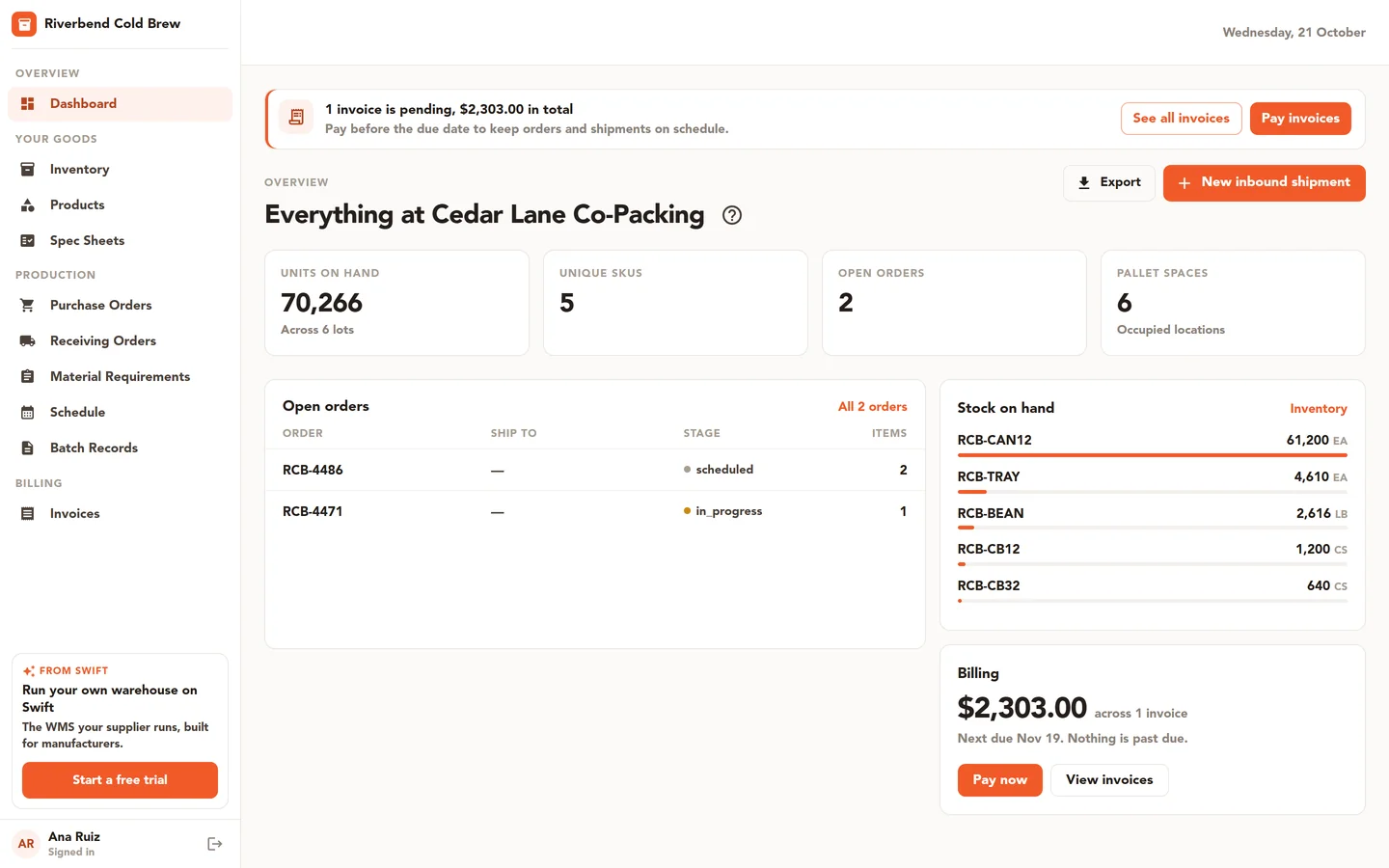
A customer portal dashboard shows units on hand, open orders, stock by SKU, and the invoice balance due.

Customer portal

Give customers a login. They see their inventory, orders, and certificates of analysis. On Core and Pro, they can also message your team in the product.

The portal is included on Pro and available as an add-on on Essentials and Core. It is not included on every plan.
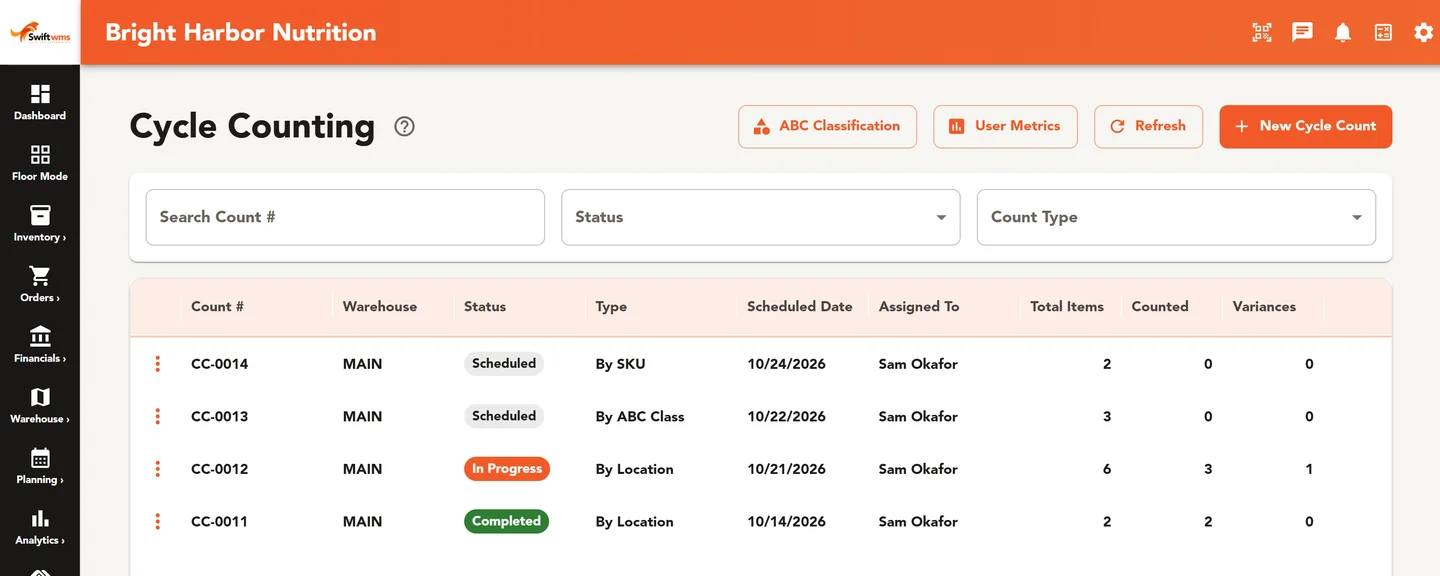
A cycle count list shows scheduled, in-progress, and completed counts with items counted and variances.

Pro operations

Cycle count the floor. Attach certificates of analysis and documents to lots.

Lay out the warehouse so locations match how you pick and put away.
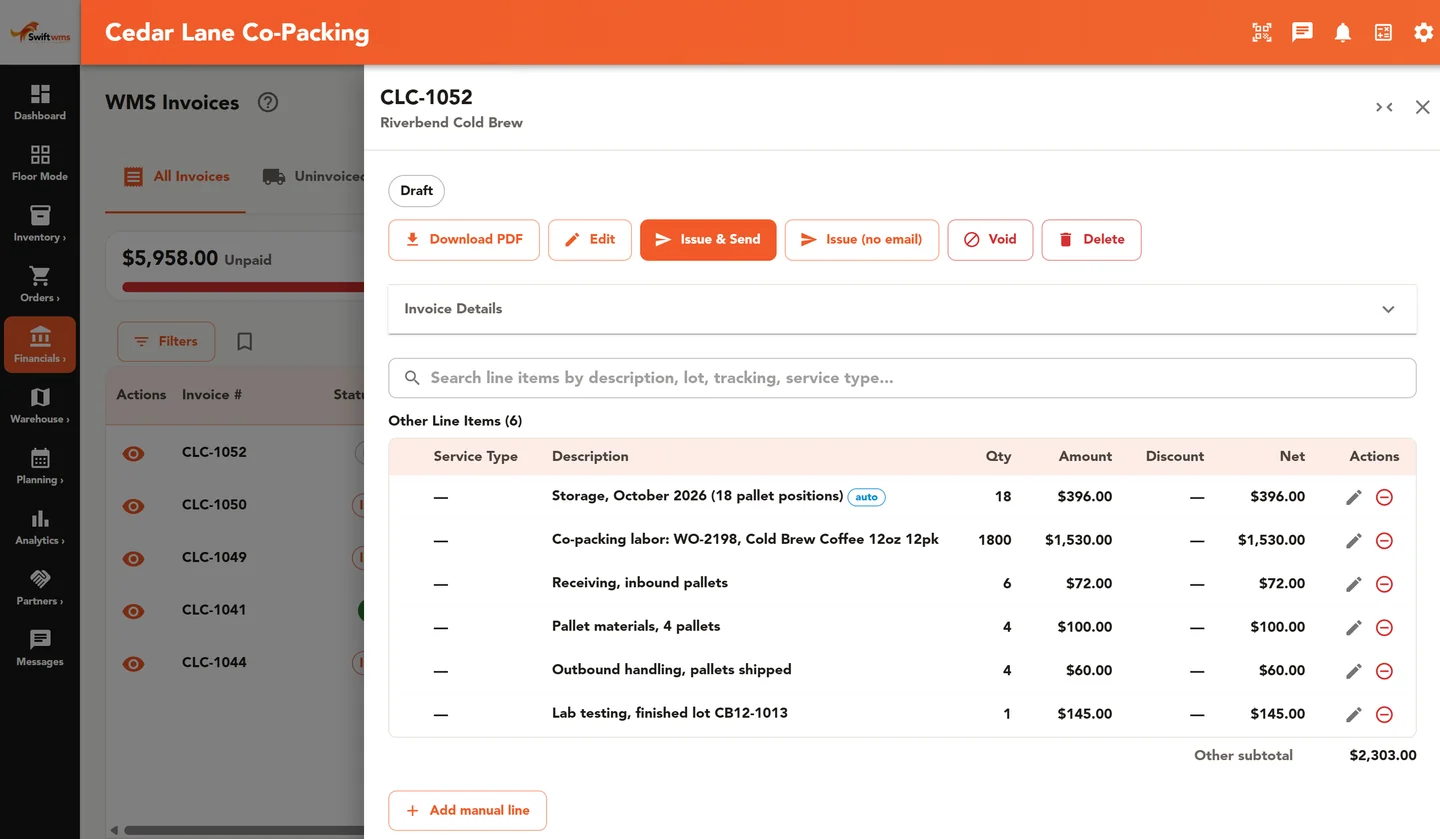
A WMS invoice lists storage, co-packing labor, receiving, pallet, outbound handling, and lab testing charges.

WMS invoicing

Core includes WMS invoicing so warehouse work can become a bill without a second system.

How the pieces fit together

Swift WMS is one system, not a set of separate tools. A receiver scans stock onto a license plate, and that plate carries its lot and expiration date from the dock onward. Planners stage those same plates against a work order, the floor consumes them into batches, and finished goods come back as new plates with their own lots.

Because every step writes to the same record, a lot trace is a search instead of a hunt through paperwork, a cycle count compares against live quantities, and the customer portal shows clients the numbers your warehouse actually runs on. Read how that works in practice in our guides to license plate numbers, running a mock recall, and planning cycle counts with ABC analysis.

Swift comes in three plans: Essentials, Core, and Pro. See plans and pricing

See your own SKUs and lots in Swift. 30-minute walkthrough.

FAQ

Frequently Asked Questions

Everything you need to know about Swift WMS

Swift WMS is inventory and production software for small-to-mid manufacturers, co-packers, and food and CPG plants, with license plate inventory, BOM-driven production, lot traceability, and a customer portal on Pro or as an add-on. It connects receiving, inventory, production, and quality records in one system, so you are not running the floor from disconnected spreadsheets.

Swift WMS is built for manufacturers, distributors, and warehouse operators — from teams leaving spreadsheets to operations that need lot history, production, and multi-location inventory in one place.

Yes. Swift WMS tracks lots from raw material receipt through production and shipment. You can attach certificates of analysis to each lot, keep a batch record for every work order, and review changes in the audit log. That history is what operators use when a customer or regulator asks where a lot came from.

Yes, with the customer portal. It is included on Pro, and available as an add-on on Essentials and Core. Your clients can log in to view inventory, orders, and certificates of analysis, and on Core and Pro they can message your team. It is not included on every plan.See plans and pricing

Swift WMS plans work from the bill of materials. You stage materials, run batches, record quality, put finished goods into inventory, and watch capacity and equipment — not only a drag-and-drop calendar.

Yes. We set up a trial of the plan we quote for your operation, usually a 30-day trial. During the trial you get Pro-tier features on that plan. The customer portal is included on Pro, or an add-on on Essentials and Core. There is no self-serve signup — get in touch and we will start you. If you pay by card, we collect it when you sign up and charge it automatically when the trial ends unless you cancel first. If you pay by invoice, your first invoice is emailed when the trial ends.See plans and pricing