Getting started
Your first day: the menu, company settings, users, your profile and your plan.
 2:42
Video 1
Welcome to Swift
What Swift does, how the menu is laid out, the dashboard, and the first-run setup checklist (locations, customer, products, invite team, first receipt).
For: Everyone
 2:34
Video 2
Company and admin settings
Company profile, admin page and settings a new account fills in before anything else.
For: Admin
 2:15
Video 3
Adding users, roles and permissions
Inviting staff, giving each person the right access, and deactivating users.
For: Admin
 1:41
Video 4
Your profile and personal settings
Notification preferences (email, in-app, instant or weekly), password and two-factor sign-in, and turning page guides on or off.
For: Everyone
 1:38
Warehouse setup
Warehouses, locations, barcodes and the visual floor map.
 1:29
 2:15
Video 7
Setting up locations and barcodes
Creating locations, printing and scanning location barcodes, and marking picking locations.
For: Admin, Manager
 3:12
Video 8
Building the visual warehouse layout
Rows, shelves, breezeways and colors so the floor map matches the building.
For: Admin, Manager
Products and partners
Customers, suppliers, SKUs, data import, license plates, BOMs and production lines.
 2:15
Video 9
Setting up customers
Adding customers with their contacts and logo, their billing and production settings, and how SKUs and customer part numbers link to them.
For: Admin, Manager
 3:07
Video 10
Creating SKUs and UPCs
SKU types, units of measure, UPCs, reorder points, weights, allergens and production rates.
For: Admin, Manager
 2:13
Video 11
Importing your existing data
Bulk importing SKUs, locations, customers and starting inventory from spreadsheets.
For: Admin
 2:12
Video 12
Setting up suppliers
Adding suppliers and linking the SKUs and UPCs you buy from them.
For: Admin, Manager
 2:29
Video 13
How Swift tracks stock: license plates
What a license plate is, the information it holds, and how it drives movement, consumption and lot traceability.
For: Everyone
 3:59
Video 14
Bills of materials and spec sheets
Building a BOM for a finished good and producing its spec sheet.
For: Manager
 2:21
Video 15
Production lines and equipment
Setting up production lines and the equipment on them so scheduling has capacity to work with.
For: Admin, Manager
 2:56
Video 16
Production settings and documents
Production settings, and the in-process weight, metal detection and mix instruction documents used on work orders.
For: Admin, Manager
Inbound
Customer purchase orders, receiving orders, receiving onto license plates and COAs.
 1:46
Video 17
Customer purchase orders
Logging a customer's purchase order, its lines and BOMs, and how saving it creates a work order for each line.
For: Manager
 1:19
Video 18
Receiving orders
Scheduling inbound deliveries, expected dates and delivery times, and the receiving list.
For: Manager
 1:43
Video 19
Receiving inventory onto license plates
Receiving against an order, creating license plates, lots and expiration dates, and bulk receiving.
For: Operator, Manager
 1:17
Video 20
Uploading COAs
Attaching certificates of analysis to lots, including bulk upload with AI.
For: Manager, Quality
Inventory
Finding, moving, holding, counting and reordering stock.
 1:31
Video 21
Navigating the inventory screen
Finding stock by SKU, lot or location, and reading on hand, reserved and held quantities.
For: Everyone
 1:27
Video 22
Moving and splitting license plates
Moving stock between locations, splitting and combining license plates, and the transaction history it leaves.
For: Operator
 1:10
Video 23
Floor Mode
The big-button floor screen for receiving, picking, moving, counting, shipping and looking up stock.
For: Operator
 1:10
 1:21
Video 25
Quality holds and adjustments
Putting a lot or license plate on hold, releasing it, and adjusting quantities with a reason.
For: Manager, Quality
 1:17
Video 26
Low stock and reorder points
Using reorder points to see what's running low and what's already on order.
For: Manager
 1:23
Video 27
Reorder requests and forecasts
Reorder forecasts, reorder settings, and drafting supplier reorder requests.
For: Manager
 1:04
Video 28
Cycle counts
Scheduling and running SKU, location and full counts, and approving the results.
For: Manager, Operator
 1:09
Video 29
ABC classification
How Swift ranks SKUs and how to use the ranking to plan counts.
For: Manager
 0:42
Video 30
User counting metrics
Counting accuracy and performance by user, from cycle counts.
For: Manager
Quality
Lot trace, recalls and the FSMA 204 traceability plan.
 1:33
Video 31
Lot trace and recalls
Tracing a lot through receiving, production and shipping, and seeing what a recall would affect.
For: Manager, Quality
 1:54
Video 32
FSMA traceability plan and drills
Setting up the FSMA 204 traceability plan, key data elements on traceability-list SKUs, running a recall drill, and the KDE gaps report.
For: Admin, Quality
Production
Work orders, scheduling, running a batch, daily output and material needs.
 1:59
Video 33
Creating work orders
Creating a work order from a BOM, quantity, start date and days to complete.
For: Manager
 1:21
Video 34
Production and resource scheduling
The production schedule, resource schedule and capacity planning across lines.
For: Manager
 2:34
Video 35
Running a work order
Creating batches, staging materials, and creating the finished good license plates.
For: Operator, Manager
 1:59
Video 36
Tracking production and daily output
Logging daily production, progress against each work order, and production tracking views.
For: Manager
 1:11
Video 37
Material requirements
Seeing what materials upcoming work orders need against what's on hand and on order.
For: Manager
Outbound
Shipping, packing slips and invoices.
 1:33
Video 38
Shipping and packing slips
Shipping finished goods, printing packing slips, and the shipped history.
For: Operator, Manager
 1:27
Video 39
Invoices
Creating and reviewing invoices from shipments, finished goods billed before they ship, customer POs or manual lines.
For: Admin, Manager
Documents and messages
Documents, messages and giving your customers portal access.
 1:42
 1:16
 1:50
Reports and analytics
The dashboard, standard reports, Report Builder and AI features.
 1:09
 1:12
 1:28
Video 45
Report Builder
Building, saving and sharing custom reports from inventory, production and receiving data.
For: Manager, Admin
 1:25
Video 46
AI features
Turning AI on and setting a monthly spend limit, reading lot details from a photo, and connecting AI Assistants (Claude, ChatGPT and others) to ask questions about your data.
For: Admin, Manager
For your customers
Send this to the brands you make or store for. It walks them through their portal.
 3:37
Video 49
Your customer portal
A walkthrough for customers of companies that use Swift: signing in, the dashboard, your stock, products and spec sheets, purchase orders, the production schedule and batches, telling your supplier about inbound shipments, invoices and payments, and messages.
For: Customers
Product tours
Two-minute overviews of what Swift WMS does.
 2:03
Product tour
Swift WMS Overview: Production, Inventory and 3PL in One System
A 2-minute tour of a food and supplement co-packer planning production, tracking lots and expiry, shipping for its brands, and billing them, all in one system.
For: Everyone
 2:19
Product tour
From Recipe to Finished Pallet: Production in Swift WMS
Build a recipe, create a work order, schedule it on a line, stage ingredients, make the batch, and turn it into finished goods with every lot traced.
For: Everyone
 2:03
Product tour
Inventory and Receiving in Swift WMS: Every Lot, Every Pallet, Every Bin
Receive at the dock in Floor Mode with lot and expiry on every pallet, put stock away, find any lot in the 3D warehouse, cycle count, and reorder from usage.
For: Everyone
 2:04
Product tour
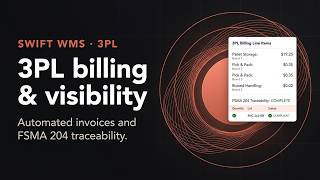
3PL Billing, Customer Portal and FSMA 204 in Swift WMS
Per-customer rate cards, invoices built from shipments, month-end storage billing, payments and aging, a portal for your brands, and FSMA 204 traceability records.
For: Everyone