Every raw material needs its paperwork
Supplement makers buy many powders, capsules, and botanicals, and most lots arrive with a certificate of analysis. The COA is the supplier's report on that one lot. When a customer or auditor asks for it months later, you need to find it by lot, not by digging through an inbox.
In Swift WMS, you attach COA files to the lot they cover, either at receiving or later on the Quality page, which is part of the Core plan. Request COAs sends an email to a supplier for lots that are still missing paperwork. On the Pro plan, bulk COA upload takes many files at once, and AI reads the lot number on each one so your team can check the match before it is saved.
To be plain about it: Swift WMS stores COAs. It does not write them or fill in test results. Our guide to managing certificates of analysis by lot covers what to check on each one before you accept it.
Hold new lots until QC reviews them
Many supplement plants do not want a raw material used until someone has checked its COA. The risk is a busy shift grabbing the newest pallet before that review is done.
Swift WMS has an option to put each new ingredient lot on hold the moment it is received. Held lots cannot ship. If lot holds are switched on in your production settings, held lots cannot be used in a batch either. When your quality team is satisfied, they use Release Hold and the lot is ready for use. The On Hold filter on the inventory screen shows every lot still waiting.
Expiration dates on every lot
Vitamins lose strength over time, and many ingredients carry an expiration or retest date. Using the wrong lot first means waste, or product that will not last as long as its label says.
Ingredient SKUs need an expiration date at receipt, along with the lot name, so the dock cannot skip either one. The Expiring filter lists lots that expire in the next 30 days. Planners can schedule those lots first and order fresh stock in time.
Batch records you do not retype
Paper batch records are slow to fill in and easy to get wrong. One mistyped lot number on a batch sheet breaks the chain, and nobody notices until someone needs a trace.
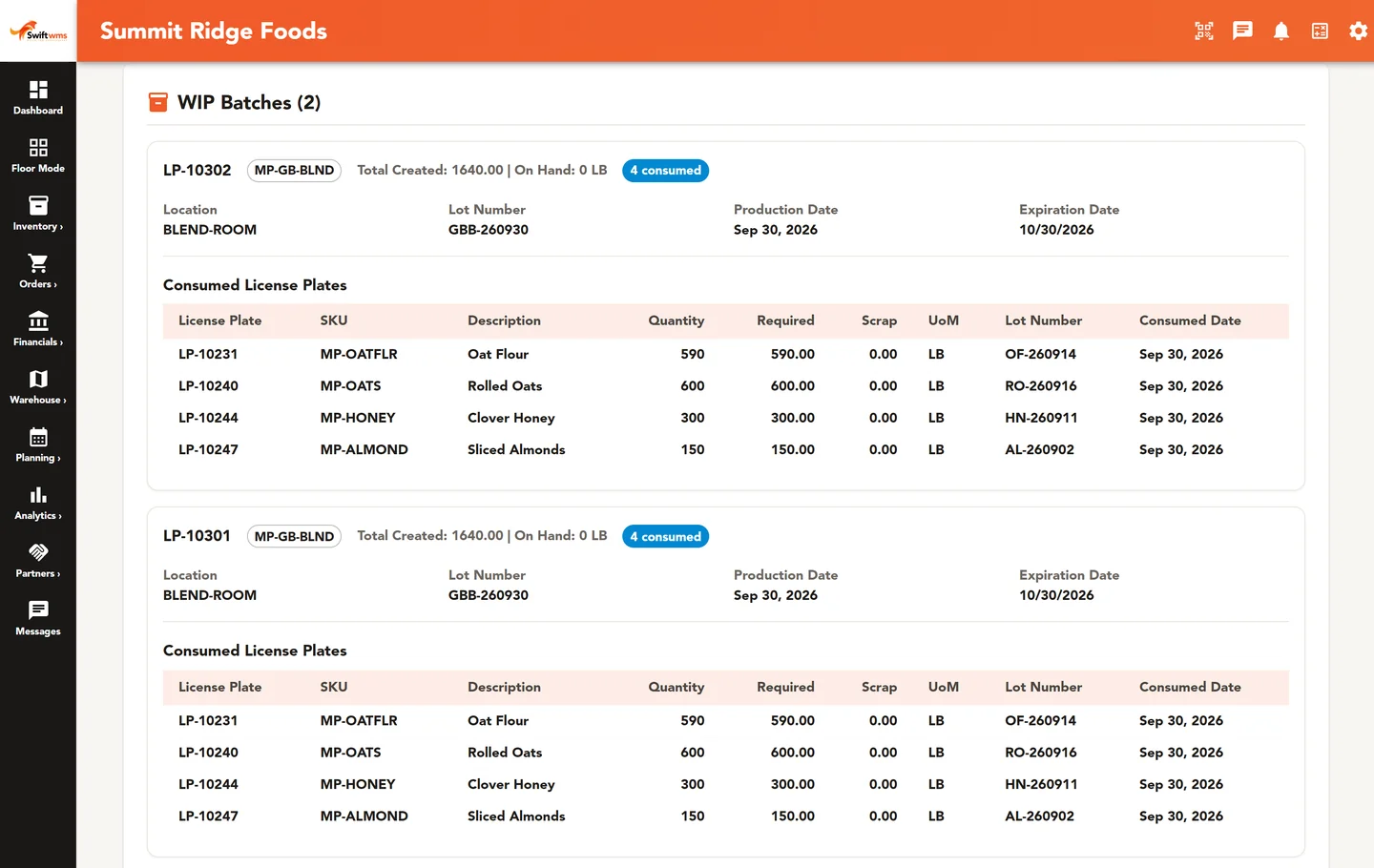
On the Core plan, each work order has a batch record built from what the floor actually did. When a batch consumes license plates, the record lists those plates, their lots, and the quantities used. You can read it back to the raw materials, or forward to the finished lots and where they went. Batch Genealogy lays out the full path from receiving to shipment, and you can export it as a PDF. Lot Trace and Recall Impact read the same records; see lot traceability for each screen.
Specs and SOPs
Brands and buyers often want a finished product spec signed off before a run. Your own team also needs current SOPs that everyone follows the same way.
Swift WMS keeps Finished Product Specification sheets, and customers with portal access can review and e-sign them in the portal. On the Pro plan, Documents holds SOPs, forms, and templates. Each document moves through Draft, In Review, Approved, and Obsolete, and Swift keeps its revisions, so you can see what changed and when.
Making product for supplement brands
Many supplement plants make product for other brands. Those brands want their stock levels, batch records, and COAs without waiting on an email.
The customer portal is included on the Pro plan and is an add-on on Essentials and Core. Each brand sees only its own inventory, batch records, COAs, spec sheets, and invoices. If contract work is most of your business, our page for co-packers and contract manufacturers goes deeper. If you are weighing BatchMaster, see our BatchMaster alternative page.
Where Swift WMS fits with GMP
Supplement makers follow FDA's dietary supplement GMP rule. Swift WMS keeps lot, hold, COA, and batch records that help your team answer questions from customers, auditors, and inspectors. It does not make a plant meet the rule, and it holds no certification of any kind.
Our post on lot traceability for FDA-regulated manufacturers covers the records people most often ask for. Rules differ by product and market, so confirm your requirements with your quality team or regulator. To see Swift WMS with your own lots, contact our team.
Common questions
- Can Swift WMS write or create COAs?
- No. Swift WMS does not create certificates of analysis or fill in test results. It stores the COAs your suppliers and labs send. You attach each file to the lot it covers, at receiving or on the Quality page, and Request COAs can email a supplier for missing ones. On Pro, bulk upload helps you file many at once.
- Can new ingredient lots go on hold automatically?
- Yes. You can turn on an option that places every new ingredient lot on hold when it is received. The lot cannot ship while held, and if lot holds are on in your production settings, it cannot be used in a batch either. Your quality team reviews the COA and any other checks, then uses Release Hold to make the lot available.
- Does Swift WMS handle expiration dates?
- Yes. An expiration date is required when you receive an ingredient SKU, together with the lot name. The date stays on every plate of that lot. The Expiring filter on the inventory screen shows lots that expire in the next 30 days, so planners can use them first and reorder in time.
- Is Swift WMS certified for supplement GMP?
- No. Swift WMS holds no certification, and it does not make a plant meet FDA's dietary supplement GMP rule. It keeps records, such as lots, holds, COAs, and batch records, that your quality team can use to answer questions. Your procedures and audits are still yours to run. Confirm your requirements with your quality team or regulator.
- Can our brand customers see batch records?
- Yes, if you use the customer portal. It is included on the Pro plan and is an add-on on Essentials and Core. Brand users with access can open batch records for their own lots, see the lots used, and download the COAs your team attached. They never see another customer's records.